In the Notifications UI, you can drill into SFDC Sync and other errors one-by-one:
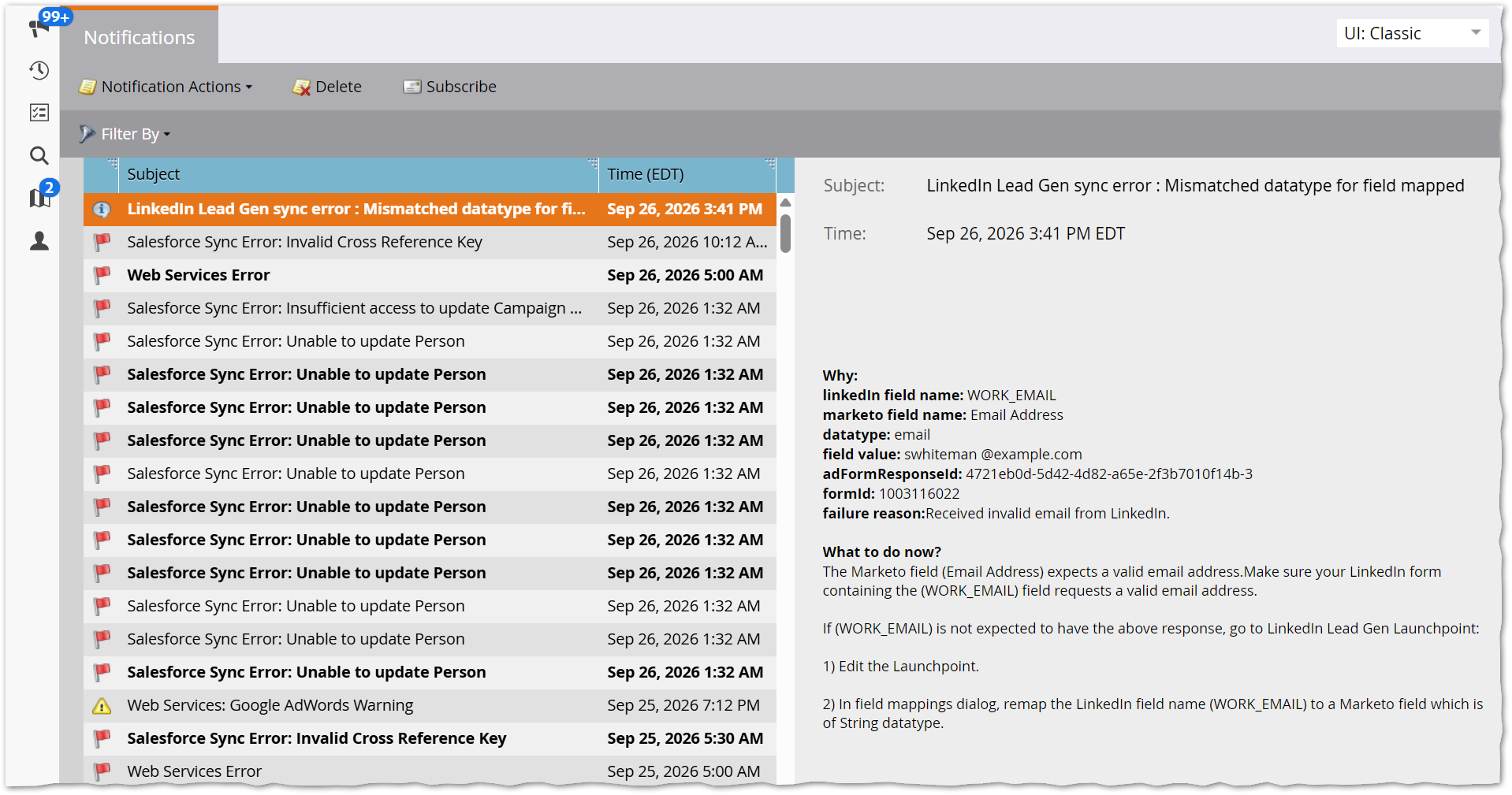
But unfortunately there’s no bulk export, making it harder to track trends & fixes.
Hacker’s delight
Conveniently, the underlying (private) endpoint /data/inboxRecord/retrieve supports get-everything requests, not just get-summaries and get-single-details.
That is, though the UI lists only summaries – you click a summary to load its details – it’s easy to get the whole notifications “inbox” for offline crunching. Just open your browser console, click any notification in the list or the details pane[1], and run this JS:
{
    const sanitizer = new Sanitizer({
      removeElements: ["br"],
      attributes: ["class","id"],
      dataAttributes: true
    });

    const currentURL = new URL(document.location.href);

    const notificationsInboxURL = new URL(currentURL.origin);
    notificationsInboxURL.pathname = "/data/inboxRecord/retrieve";

    const payload = new URLSearchParams([
    	["sort", JSON.stringify([{ property: "timestamp", direction: "DESC" }])],
    	["fields", JSON.stringify(["id","classType","type","notificationSubtype","subject","timestamp","status","body"])],
    	["context", "NO"],
    	["uShell", "true"],
    	["xOrigin", "true"],
    	["symfony", currentURL.searchParams.get("symfony") ],
    	["xsrfId", Mkt3.Config.getEnv('xsrfId')],
    	["ids_sso", Mkt3.Config.getEnv('ssoId') ]
    ]);

    fetch(notificationsInboxURL, {
      "headers": {
        "content-type": "application/x-www-form-urlencoded; charset=UTF-8",
      },
      "body": payload.toString(),
      "method": "POST",
      "mode": "cors",
      "credentials": "omit"
    })
    .then( (resp) => resp.json() )
    .then( (inbox) => inbox.data.map( (values) => {
        const assembled = {};
        values.forEach( (value,idx) => assembled[inbox.fields[idx]] = value );
        const tmpl = document.createElement("template");
        tmpl.setHTML(assembled.body,{sanitizer});
        assembled.body = tmpl.innerHTML;
        return assembled;
    }) )
    .then( console.log )
}
That’ll dump the full inbox to the console, and if you copy it[2]:
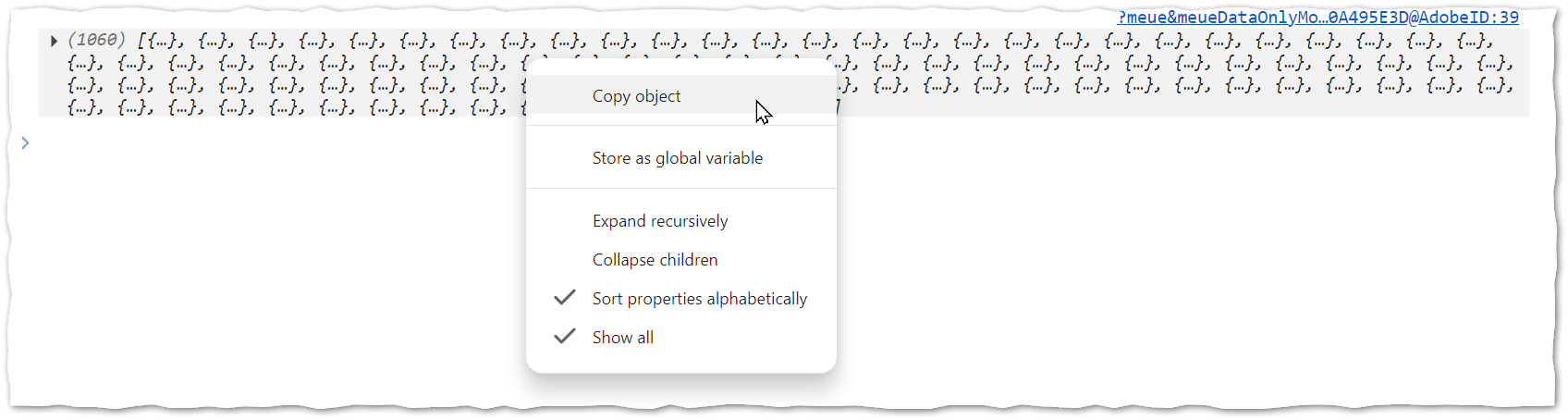
You get a JSON array shaped like this:
[
  {
    "id": 638245,
    "classType": "info",
    "type": "linked_in_lead_gen_failure",
    "notificationSubtype": "linkedin_failure",
    "subject": "LinkedIn Lead Gen sync error : Mismatched datatype for field mapped",
    "body": "<div>\n  <div>\n    <div id=\"main_title\">    </div>\n  </div>\n  \n  \n\n  <div id=\"main_text\">\n          \n          \n\n          <span>Why: </span>\n          \n          <span>linkedIn field name: </span>WORK_EMAIL\n          \n          <span>marketo field name: </span>Email Address\n          \n          <span>datatype: </span>email\n          \n          <span>field value: </span>swhiteman @example.com\n          \n          <span>adFormResponseId: </span>4721eb0d-5d42-4d82-a65e-2f3b7010f14b-3\n          \n          <span>formId: </span>1003116022\n          \n          <span>failure reason:</span>Received invalid email from LinkedIn.\n\n          \n          \n          <span>What to do now? </span>\n          The Marketo field (Email Address) expects a valid email address.Make sure your LinkedIn form containing the (WORK_EMAIL) field requests a valid email address.\n          \n          If (WORK_EMAIL) is not expected to have the above response, go to LinkedIn Lead Gen Launchpoint:\n          \n          1) Edit the Launchpoint.\n          \n          2) In field mappings dialog, remap the LinkedIn field name (WORK_EMAIL) to a Marketo field which is of String datatype.\n          \n          \n    \n    \n  </div>\n</div>",
    "timestamp": "2026-09-26 15:41:56",
    "status": "unread"
},
{
    "id": 638216,
    "classType": "error",
    "type": "salesforce_sync_failure",
    "notificationSubtype": "sfdc_sync",
    "subject": "Salesforce Sync Error: Invalid Cross Reference Key",
    "body": "<div>\n    <div>\n        <div id=\"main_title\">Salesforce Sync Error</div>\n    </div>\n    \n          <span>Why: </span>Salesforce CampaignMember creation failed due to invalid cross reference key error\n      \n      \n      <span>Error details:</span>\n      Received error message from salesforce while creating CampaignMember: INVALID_CROSS_REFERENCE_KEY, invalid cross reference id\n      \n      \n      <span>What to do now? </span>\n      Contact your Salesforce administrator for further troubleshooting\n      \n      </div>",
    "timestamp": "2026-09-26 10:12:01",
    "status": "read"
},
{
    "id": 638147,
    "classType": "error",
    "type": "salesforce_sync_failure",
    "notificationSubtype": "sfdc_sync",
    "subject": "Salesforce Sync Error: Unable to update Person",
    "body": "<div>\n  <div>\n    <div id=\"main_title\">Salesforce Sync Error</div>\n  </div>\n  \n      <span>Why: </span>Marketo is unable to update Lead in Salesforce.\n    \n    \n    <span>Error details: </span>\n    INSUFFICIENT_ACCESS_OR_READONLY: insufficient access rights on object id    \n    \n    <span>Sample People:</span>\n    <span>Showing 3 of total 3 affected Leads\n    </span>\n    \n    <div>\n      <table>            <tbody><tr><td><a>swhiteman@example.org</a></td></tr>            <tr><td><a>rodger.dodger@example.ch</a></td></tr>            <tr><td><a>jobert@example.com</a></td></tr>      </tbody></table>\n    </div>\n    \n    <span>What to do now? </span>\n    Contact your Salesforce administrator for further troubleshooting\n    \n    </div>",
    "timestamp": "2026-09-26 01:32:18",
    "status": "read"
},
/* ... more entries... */
]
Going further
With this code, the HTML in the body property is simplified by removing <br> and style attributes, but that’s it.
You could also leave body as a Document Fragment and traverse it to create a nested JS object. Thing is, the HTML is unstructured, i.e. different error types have different HTML shapes. So it’d be pretty hairy to work out the semantics for each error, especially those that haven’t shown up in my test instances! You’re welcome to give it a shot and let me know in the comments.😃
It’s a hack, but that’s okay
This code, like my other UI hacks, is 0% supported by Adobe: the underlying private API endpoint is subject to change at any time. But hopefully, if this endpoint changes bulk export will also be natively available!
Notes
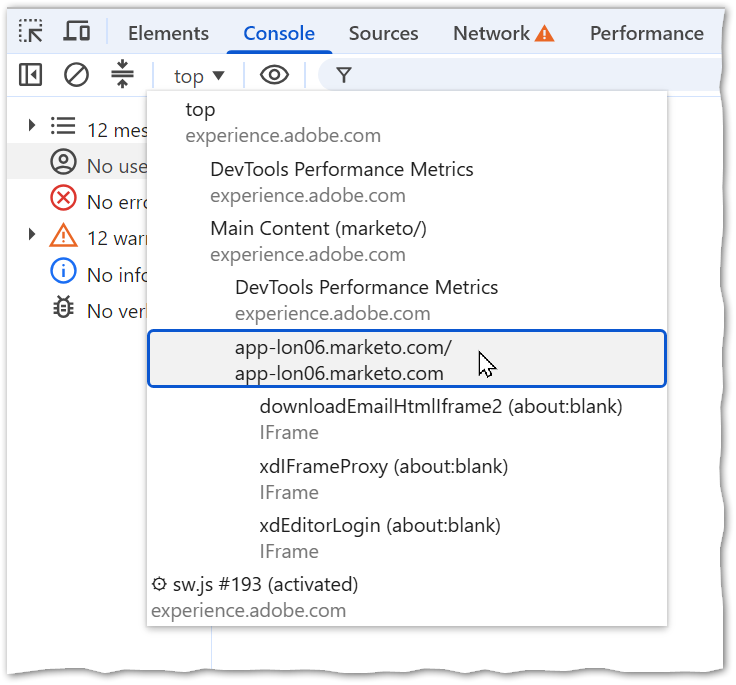
[1] This focuses the inner IFRAME, which is where the fetch must originate. You can also pick app-<nnnn>.marketo.com from the JS context chooser:
[2] For this case, I assume you’ll copy-paste into a text editor. Automatically downloading a .json file is left as an exercise for the reader (hint: see my other UI hack posts).