“We’re consistently seeing only one pageview per visit,” noted the Marketo admin. “We can’t be offending everybody, so maybe something’s up with our cookie banner?”
She was right, people weren’t abandoning immediately. Rather, broken cookie consent JS was blocking the Munchkin _mkto_trk cookie for everyone, but not blocking Munchkin itself.
How not to manage cookie consent
The code, like others of its type, was jaw-droppingly intrusive: it redefined document.cookie and proxied cookieStore to eavesdrop on set-cookie calls. (A crazy thing to just drop into a site, not that tricks used by other cookie apps[1] are much better!)
_mkto_trk was on its cookie blocklist, but munchkin.js was always loaded + initialized. That leads to a half-baked outcome where:
- a person lands on the site from an email link, which attaches the
mkt_tokto the query string to identify the Marketo record - Munchkin generates a random session token value
- saving the token to a cookie is blocked by the consent JS
- the token value is nevertheless used in Visit Web Page hits for that pageview, together with the
mkt_tok - the token value is also used in Click Link hits for that pageview
- on subsequent pageviews, Munchkin doesn’t see an existing cookie so generates a new random token value
- as those later pageviews have no identifying
mkt_tok, their Visit Web Page/Click Link activities stay anonymous forever!
Here’s a browser log for 4 successive page refreshes with this unfortunate setup. Note how the session token value (transported to Marketo as _mchTk) changes each time:
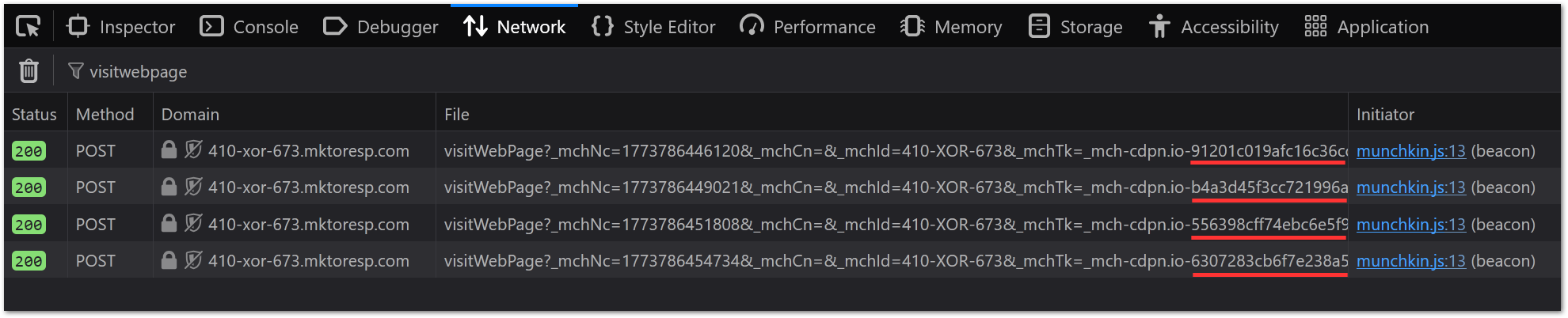
This reveals the token isn’t directly dependent on cookie support. Instead, think of it as a “Munchkin session identifier, potentially stored in a cookie”.
Differential diagnosis: IFRAME
Browser security policies can cause this same behavior, no cookie banner involved. If you IFRAME a Marketo LP from https://pages.example.com inside a cross-domain, cross-origin page like https://whatever.example.io, then Munchkin on the Marketo LP will generate and use a new session token for that pageview, but won’t be allowed to save a cookie.
If the person later goes to https://www.example.com, they’ll get a new random session token and their actions will be anonymous. Even though in the broad sense www.example.com and pages.example.com share cookies from the parent example.com, that only works if the browser lets you set the cookie in the first place![2]
Differential diagnosis: Plugins
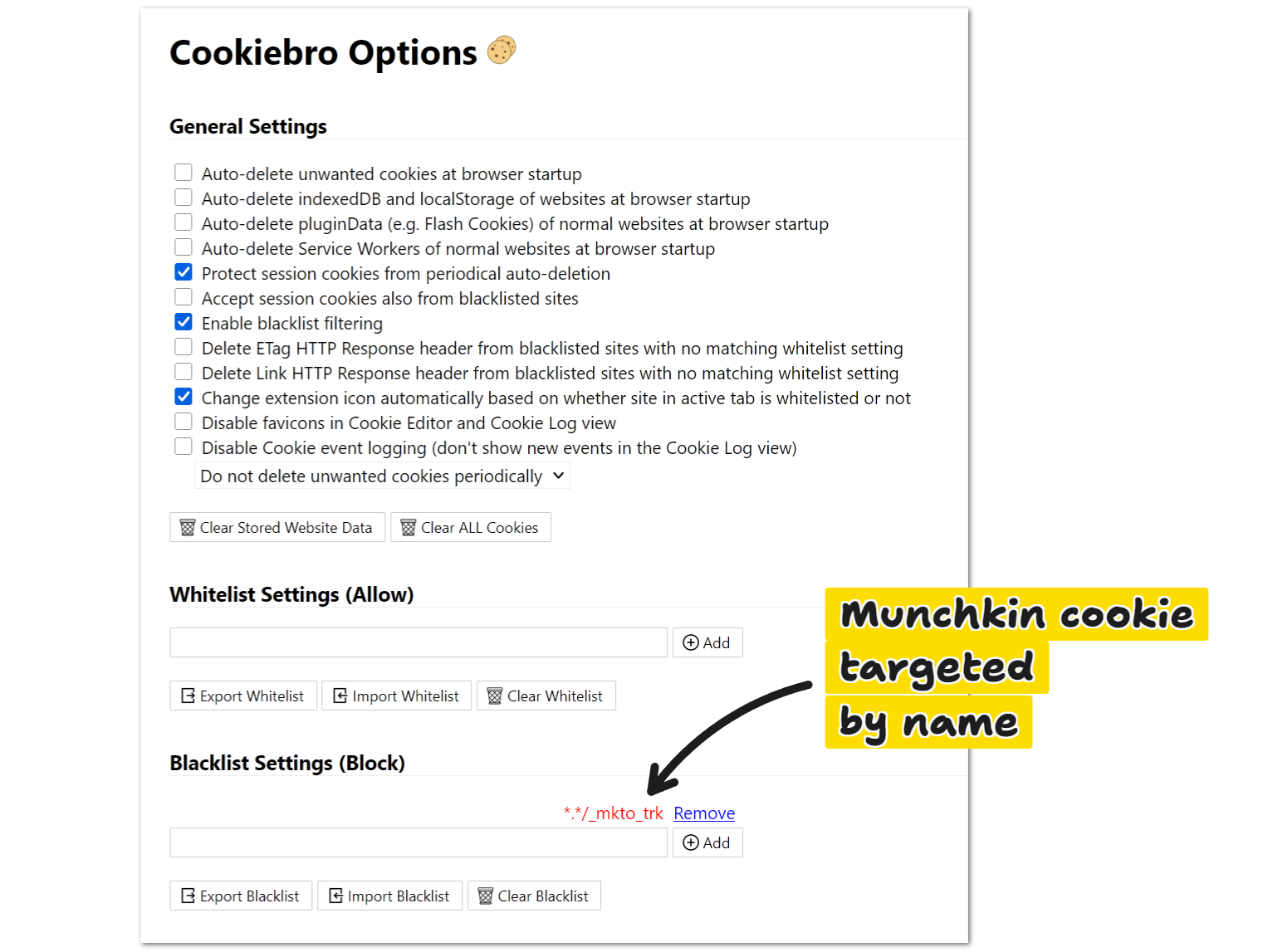
Browser plugins can cause this same behavior (though they wouldn’t affect 100% of visitors). For example, Cookiebro with a custom blocklist:
Notes
[1] Like shadowing document.createElement and using MutationObserver to neuter <script> tags. Ugh.
[2] If you IFRAME https://pages.example.com inside https://www.example.com, you can set a cookie at example.com from inside the frame — though in that case it makes more sense to set the cookie in the parent document before injecting the IFRAME. But that’s not the same as https://pages.example.com inside https://whatever.example.io since in the latter case the pages have no common private domain suffix.
Note first-party-cookie-from-third-party-IFRAME rules have gotten stricter over time. Browsers from 5+ years ago could do more damage!